Pair Programming with Claude Code: Brilliant in Parts, Unreliable in Others

AI
Pair Programming with Claude Code: Brilliant in Parts, Unreliable in Others
Image generated by ChatGPT (DALL·E)

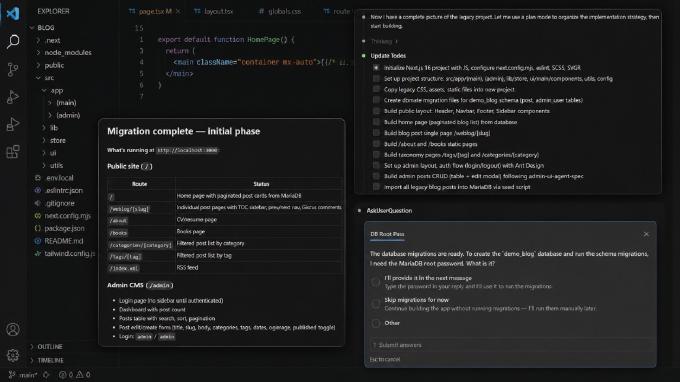
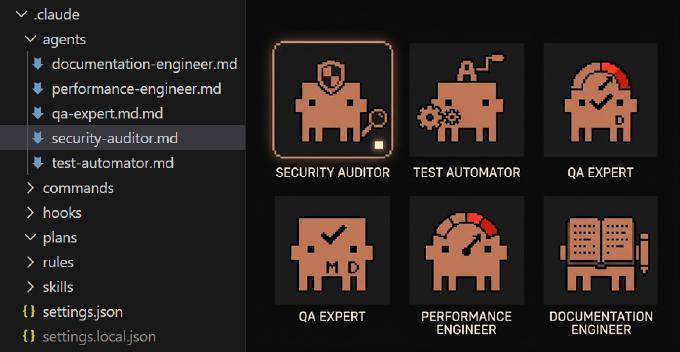
Claude Code promises the dream of frictionless pair-programming—and in many moments, it delivers exactly that. This week I put it to the test across real-world tasks in a production codebase, from framework upgrades to UI migrations and automated QA planning. What I discovered was an assistant that can feel astonishingly capable and even delightful when working within clear boundaries, yet surprisingly unreliable when pushed into more complex or ambiguous transformations. In other words: brilliant in parts, unpredictable in others.

Mastering Tables and Modals in Next.js 16: Patterns That Preserve State

React
Mastering Tables and Modals in Next.js 16: Patterns That Preserve State
Image generated by ChatGPT (DALL·E)

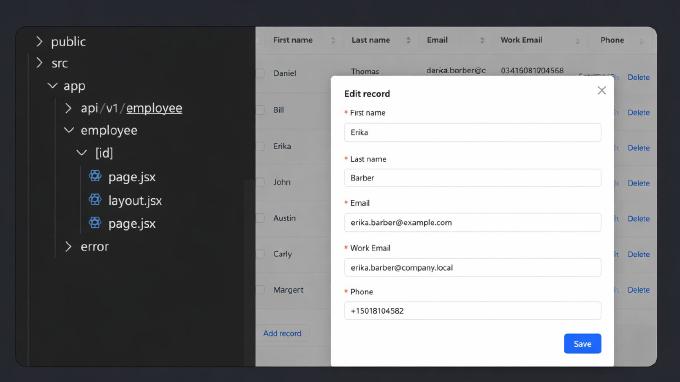
When developing administrative UIs, one of the most common patterns is a table to navigate database records and modals to view or edit individual entries. In Next.js, this can be achieved in several ways — not only with Parallel Routes, which are the officially recommended approach in the documentation. In this article, I’ll share three different implementation strategies I explored and discuss their pros and cons based on real-world use cases.

Optimizing End-to-End Testing with Playwright: A Practical Guide

Testing
Optimizing End-to-End Testing with Playwright: A Practical Guide
Image generated by ChatGPT (DALL·E)

End-to-end (E2E) testing is a crucial step in ensuring that web applications function as expected across different scenarios, devices, and browsers. However, maintaining efficient and reliable tests can be challenging. This is where Playwright shines — offering a powerful and developer-friendly framework for robust E2E automation. In this guide, we will explore how to optimize Playwright for E2E testing, covering best practices for improving test readability with fixtures, handling authentication flows, working with data tables, and verifying responsive design. Additionally, we will dive into performance budgets to maintain a smooth user experience. Whether you’re transitioning from Selenium or Cypress, or you are new to Playwright, this guide will help you write cleaner, more maintainable tests that ensure your web applications perform flawlessly.

Next.js 15 Tutorial: Build a Full-Stack App with Ant Design & React Query

React
Next.js 15 Tutorial: Build a Full-Stack App with Ant Design & React Query
Image generated by ChatGPT (DALL·E)

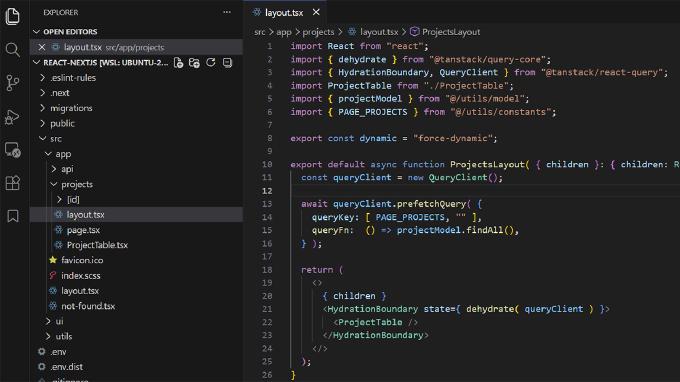
Next.js 15 is redefining server-side React development, offering built-in optimizations for routing, caching, and image handling. In this step-by-step tutorial, we will build a dynamic records management app using Ant Design 5 for UI components and React Query 5 for efficient data fetching. Learn how to streamline development, minimize boilerplate, and optimize performance with Next.js best practices. Get started today!

Refactoring Legacy React Code: Moving from OOP to Functional Components

React
Refactoring Legacy React Code: Moving from OOP to Functional Components
Image generated by ChatGPT (DALL·E)

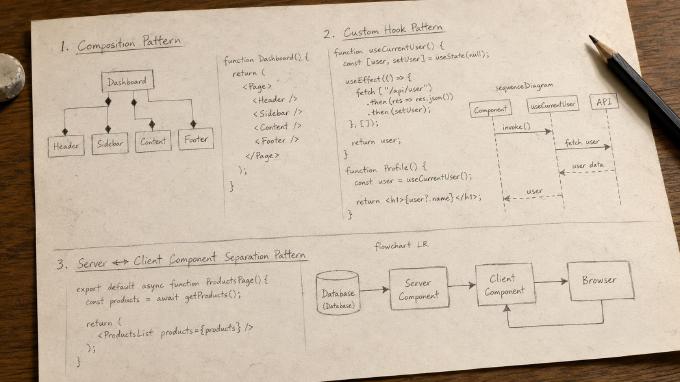
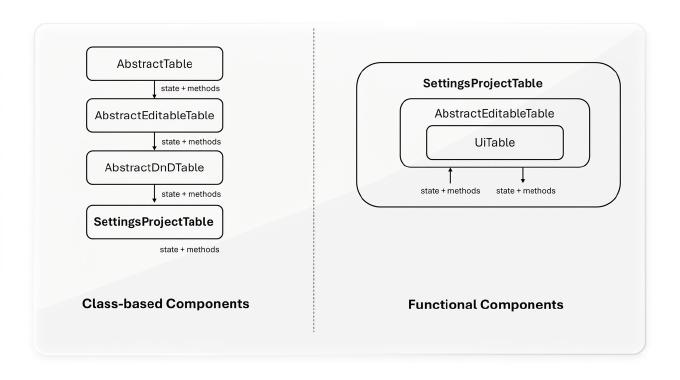
When React Hooks arrived in 2019, switching to functional components seemed impractical. But as the ecosystem evolved, new techniques emerged. This article explores key strategies for migrating class-based components to modern React patterns—leveraging composition, useImperativeHandle, and function-based customization. Ready to embrace the future of React?

From Zero to Blog: Getting Started with Hugo

Site Generator
From Zero to Blog: Getting Started with Hugo
Image generated by ChatGPT (DALL·E)

This blog hadn’t a redesign for a decade. It was driven by self-made CMS, which naturally has become, say the least of it, outdated. So some time ago I ripened for a remastering. Instantly I started by looking for a CMS or a headless CMS. Then I realized, the blog is actually static – I don’t have here any forms or services, it’s all about representation of content. Why not to go with a site generator?

Puppetry 3: Test Automation without Coding

Automated Testing
Puppetry 3: Test Automation without Coding

Nowadays nobody would argue the importance of automated testing. Yet end-to-end tests are often hard to write and even harder to maintain. There are many solutions to help with it. Puppetry is a test constructor, which allows you building test suites without any coding. QA-engineer can record user scenario in a built-in browser, extend the generated test case with browser commands and assertions, manage the suite structure (like drag’n’drop) and run tests.

Enhancing UX with LQIP: How to Build an Awesome Image Preview

How to
Enhancing UX with LQIP: How to Build an Awesome Image Preview

Images in HTML, what could be easier? However when you have many of them on a page, they do not appear immediately. That depends on caching strategy and bandwidth, but still if you don’t take a special care it may look quite ugly. Basically we need to fill in the slots with something appropriate while images are loading. In other words we need placeholders. Probably the most prominent technique here is LQIP (low quality image placeholder).

Testing Email Activation in Sign-Up Flows: A Step-by-Step Guide

Automated Testing
Testing Email Activation in Sign-Up Flows: A Step-by-Step Guide
Image generated by ChatGPT (DALL·E)

Functional testing isn’t something new. We all do it, less or more, with different tools and approaches. However when it comes to flows, where transactional emails (signup confirmations, password resets, purchase notifications and others) involved that may still bring questions. For example, we instruct the testing tool to navigate to the registration page, fill out the form and press the submit button. The web-application sends email with activation link. So we need the testing tool to read the email message, parse it and navigate the link.

Puppetry 2.0 released

Automated Testing
Puppetry 2.0 released

Eventually Puppetry 2.0 was released. The development took for a while, yet it contains a lot of changes. In fact the branch 1.x was basically a GUI for Puppeteer/Jest, but the tool grew up into a fully-fledged testing environment. Now Puppetry has a built-in templating engine, which supports environment-dependent variables and expressions, what brings a great potential. Just consider: you have test/stage service, which never resets. The only way to test, let’s say, signup flow is to create a new (no-yet-existing) user account.

Validating Function Arguments in JavaScript: The Smart Way

JavaScript
Validating Function Arguments in JavaScript: The Smart Way

In software engineering we try to discover and eliminate bugs as soon as possible. One of most important heuristics here is validation of input/output on functions and methods. If you are going with TypeScript or Flow, you are fine. But if not? Then we have to manually validate at least input (arguments). But what would be the best way doing it? First comes to mind aproba library. It’s “ridiculously” light-weight and equally popular:

Puppeteer for E2E Testing: How to Automate Your Web Tests

How to
Puppeteer for E2E Testing: How to Automate Your Web Tests
Image generated by ChatGPT (DALL·E)

A sound application architecture doesn’t resist to changes, but welcomes them. Yet it still doesn’t guarantee that the code is unbroken after we implement new features, making fixes or refactoring. Here we run automated tests to ensure that the app integrity didn’t suffer. So we write unit-tests to check if separate objects, methods, functions work property independently. With integration tests we ensure they play as designed together. Eventually we create system tests to find out if the entire system meets our business requirements.